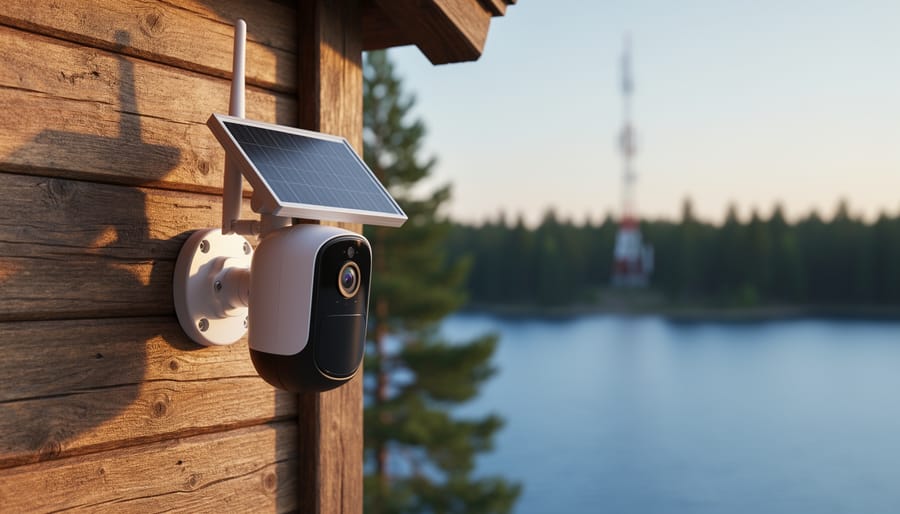
Imagine checking on your lakeside cabin, construction site, or vacation rental from anywhere—without relying on WiFi that doesn’t exist or spotty internet connections that drop when you need them most. GSM security cameras solve this frustration by operating on cellular networks, the same technology your smartphone uses, giving you reliable surveillance anywhere with cell service.
These cellular-powered cameras work independently from your home network, transmitting footage and alerts through 3G, 4G, or 5G mobile data. You’ll receive instant notifications on your phone when motion is detected, view live feeds remotely, and access recorded clips—all without running cables or depending on your home’s internet connection. They’re particularly valuable for monitoring detached garages, remote properties, RVs, or anywhere traditional WiFi cameras simply won’t reach.
The technology isn’t complicated. A GSM camera contains a SIM card (just like your phone) that connects to cellular towers, sending data to cloud storage or your mobile device. You’ll pay for a data plan—typically $10-30 monthly depending on video quality and usage—but gain freedom from WiFi dead zones and the vulnerability of internet outages.
Before investing, you’ll want to understand the practical considerations: signal strength requirements, data plan options, installation flexibility, and whether battery-powered or solar models suit your situation. This guide walks through everything you need to confidently choose, install, and optimize a GSM security camera that actually works for your unique home security challenges—no technical expertise required.
What Makes GSM Security Cameras Different?

Cellular vs. WiFi: Understanding the Core Difference
Here’s the main distinction that matters: traditional WiFi cameras rely entirely on your home internet connection, while GSM security cameras operate independently using cellular networks, just like your smartphone. Think of it this way—if your internet goes down during a storm or someone cuts your cable line, a WiFi camera becomes instantly useless. A GSM camera, however, keeps working because it’s connected through a cellular data plan.
This independence makes GSM cameras incredibly versatile for home security. Maybe you’re monitoring a detached garage, keeping an eye on a vacation property without broadband, or simply want backup coverage that won’t fail when your internet does. Unlike conventional security camera systems that depend on your WiFi network, GSM cameras give you genuine peace of mind knowing they’ll function regardless of your home internet status.
The tradeoff? GSM cameras require a cellular data subscription, similar to adding another phone line to your plan. However, for locations where running ethernet cables is impractical or WiFi signals don’t reach, that monthly fee often proves worthwhile compared to expensive networking solutions or leaving vulnerable areas unmonitored.
How GSM Cameras Connect and Transmit Data
Think of a GSM security camera like a smartphone for your property. Instead of connecting to your home WiFi, it uses a small SIM card (just like your phone) and connects to cellular networks to send footage directly to you. You’ll need to pop in a SIM card from a wireless carrier and set up a data plan, similar to adding a tablet to your mobile account.
Here’s the magic: when the camera detects motion or you want to check in, it transmits video through the cellular network to the cloud or directly to your phone’s app. No router required, no complicated network setup. It’s incredibly freeing for remote locations like cabins, construction sites, or even that detached garage where WiFi just won’t reach.
Most cameras work with standard prepaid or postpaid data plans, typically costing $10-30 monthly depending on how much footage you’re transmitting. Keep in mind that video uses more data than photos, so choosing cameras with smart features like motion-triggered recording rather than continuous streaming helps keep those data costs manageable. The beauty is the simplicity – if your phone gets service there, your camera probably will too.
Where GSM Cameras Shine in Your Home Security Setup
Remote Properties and Vacation Homes
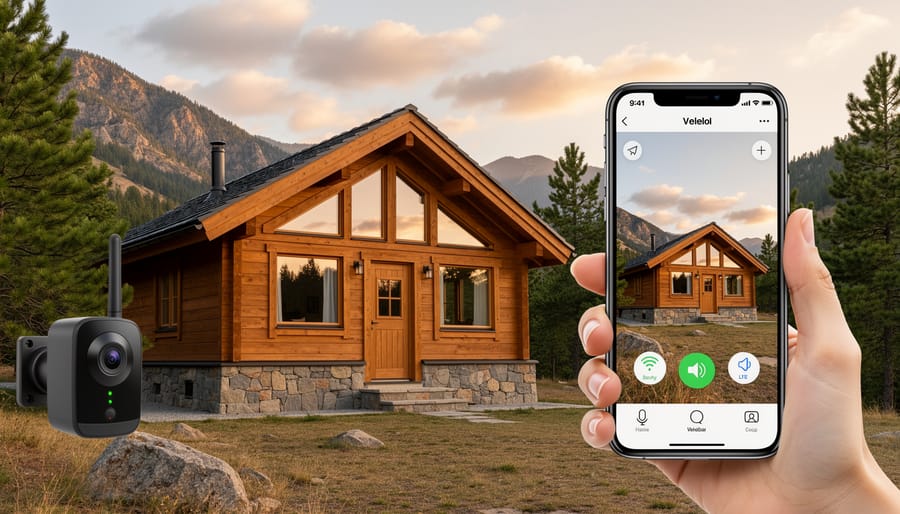
Here’s where GSM security cameras truly shine. If you own a cabin in the woods, a lakeside cottage, or even a rental property in an area with spotty internet, you’ve probably felt that nagging worry about what’s happening when you’re not there. Traditional WiFi cameras simply won’t work without a reliable broadband connection, leaving these properties vulnerable or requiring expensive alternatives.
GSM cameras solve this puzzle beautifully by using cellular networks instead of internet connections. Think of it like your smartphone – as long as there’s cell coverage, you’re connected. This means you can monitor your mountain retreat, check on your beach house between guest stays, or keep tabs on that investment property across town without the hassle and expense of installing dedicated internet service.
The setup is refreshingly straightforward too. You’ll insert a SIM card with a data plan, mount your camera, and you’re ready to receive alerts and view footage from anywhere. Many homeowners discover this solution after struggling with the limitations of traditional systems, and it opens up possibilities they hadn’t considered before. Whether it’s catching that package thief at your vacation rental or simply having peace of mind during the off-season, GSM cameras bring security to places that were previously difficult to monitor effectively.
Outbuildings, Garages, and Detached Structures
Here’s where GSM security cameras really shine! If you’ve got a detached garage, workshop, shed, or barn that’s just a bit too far from your house, you know the WiFi struggle is real. Sure, you could invest in mesh networks or range extenders, but that adds complexity and cost to your setup.
GSM cameras offer a wonderfully straightforward solution. Since they connect through cellular networks instead of your home WiFi, distance from your router becomes completely irrelevant. You can monitor your classic car collection in the garage, keep an eye on your woodworking tools, or check on garden equipment without wrestling with signal strength issues.
Think of it this way: your phone works perfectly fine whether you’re standing next to your router or out in the yard, right? GSM cameras work the same way. As long as there’s cellular coverage in your area, you’re good to go.
One homeowner I know installed a GSM camera in her art studio, which sits about 100 feet from her main house behind a row of trees. She tried WiFi cameras first, but the connection kept dropping. With a GSM camera and a basic data plan, she now gets reliable alerts and clear footage whenever someone approaches her creative space. No extenders, no headaches, just simple monitoring that actually works.
Backup Security When Internet Goes Down
Here’s what makes GSM security cameras a true game-changer when it comes to reliability: they keep working even when everything else fails. Think about what happens during a typical power outage in your neighborhood. Your WiFi router goes dark, your internet connection drops, and suddenly your traditional security camera is just an expensive paperweight. But a GSM camera? It stays connected through the cellular network, continuing to monitor and send alerts to your phone.
This backup security is especially valuable for protecting your property during storms or emergencies when you need eyes on your home the most. If someone cuts your internet cable (yes, determined intruders sometimes do this), your GSM camera won’t even notice. It’s like having a security guard who never takes a break, regardless of what’s happening with your home’s infrastructure.
For vacation homes or properties in areas with unreliable internet service, this redundancy provides genuine peace of mind. You’re not dependent on your internet provider’s uptime or vulnerable to targeted disruptions. The cellular connection operates independently, ensuring continuous surveillance exactly when you need it most.
The Real Costs You Need to Consider
Monthly Data Plans: What to Expect
When it comes to keeping your GSM security camera connected, you’ll need a monthly data plan, much like your smartphone. The good news? These cameras typically use surprisingly little data when configured properly.
Most providers offer specialized IoT (Internet of Things) plans starting around $5-10 per month for 1-2GB of data. Major carriers like AT&T, Verizon, and T-Mobile have these options, along with budget-friendly MVNOs (mobile virtual network operators) that often provide even better rates. If your camera only uploads clips when motion is detected rather than streaming continuously, you might get by with smaller plans.
Here’s a practical tip from the trenches: test your camera’s data consumption during the first month by checking usage weekly. You’ll quickly learn whether you need that 5GB plan or if a basic 1GB option suffices. Many homeowners find that cameras monitoring quiet areas like backyard sheds use less than 500MB monthly, while front-door cameras with frequent activity might consume 2-3GB.
Consider prepaid plans for seasonal properties or vacation homes where you only need monitoring part-time. This flexibility means you’re not locked into year-round costs when the cabin sits empty half the year. Shop around and don’t hesitate to switch providers if you find better rates after understanding your actual usage patterns.
Hidden Savings vs. Traditional Systems
Here’s where GSM cameras can genuinely surprise you with their wallet-friendly advantages. Think about it: you’re skipping the headache of boosting your WiFi signal to reach that detached garage or back corner of your property. No need to hire an electrician to run ethernet cables through walls or invest in WiFi extenders that cost $50 to $150 each. That professional installation alone could set you back $200 to $500, depending on your setup complexity.
Plus, there’s no pressure to upgrade your home internet plan. Many homeowners discover their bandwidth is already maxed out with streaming services and smart devices. GSM cameras operate independently, using cellular data instead of hogging your internet connection.
However, let’s keep it real about the flip side. You’ll face ongoing monthly data plan costs, typically $10 to $25 per camera. While traditional WiFi cameras use your existing internet at no extra charge, GSM cameras create this recurring expense. You’ll also pay more upfront, as GSM cameras generally cost $50 to $100 more than comparable WiFi models.
The sweet spot? If you’re monitoring a remote cabin, construction site, or anywhere WiFi infrastructure would cost hundreds to install, GSM cameras become the clear winner. For properties with solid existing WiFi coverage, traditional systems might keep more money in your pocket long-term.
Installation Made Simple: Setting Up Your First GSM Camera
Choosing the Right Mounting Location
Finding the perfect spot for your GSM security camera requires balancing two important factors: cellular signal strength and strategic coverage of your property’s vulnerable points. Think of it as finding that sweet spot where technology meets security strategy.
Start by choosing the right location based on cellular reception. Walk around your property with your smartphone, checking signal bars in areas where you’d like camera coverage. Entry points like front doors, driveways, and back gates are prime candidates, but you’ll need at least three bars of service for reliable operation.
Here’s a practical tip: most GSM cameras work best when mounted 8-10 feet high with a clear view of the sky, since cellular signals travel better without dense obstructions. If your ideal spot has weak signal, consider mounting slightly higher or repositioning a few feet away from thick walls or metal surfaces that can interfere with reception.
For remote properties or detached garages, this flexibility becomes your greatest advantage. You’re not tethered to your home’s WiFi router, so you can monitor that barn workshop or side entrance without worrying about wireless range limitations.

SIM Card Setup and Activation Tips
Getting your SIM card up and running doesn’t have to be a headache. Think of it like setting up a new phone, just with a few extra considerations for your security camera.
Start by choosing the right plan. You don’t need unlimited data for a security camera. Most cameras use surprisingly little, typically 2-5GB per month for moderate use. Contact-free carriers often offer affordable data-only plans perfect for this purpose. Before purchasing, confirm the SIM card size your camera requires, usually a standard or micro SIM.
Before installation, activate your SIM card using your smartphone first. Pop it into your phone, follow the carrier’s activation process, and make sure you can access data. This simple test saves tons of troubleshooting later. Once you’ve confirmed it works, power off your phone and remove the SIM.
Now insert the SIM into your camera with the device powered off. Check your camera’s manual for the correct orientation, as inserting it backward can damage the slot. Most cameras have a small tray that pops out with a pin, similar to smartphones.
After powering on, give your camera 2-3 minutes to establish a connection. The camera’s app should display signal strength, often shown as bars or a percentage. If you’re not getting a signal, double-check that you’ve disabled any PIN lock on the SIM card through your phone’s settings beforehand. Many cameras can’t handle PIN-protected cards.
Position your camera where cellular reception is strongest, typically near windows or exterior walls. Metal siding and thick concrete can significantly weaken signals, so test different locations during setup.
Features That Actually Matter for Home Security
Motion Detection and Smart Alerts
Here’s the smart trick to making motion alerts work for you instead of overwhelming your phone: think of your GSM camera like a well-trained watchdog that only barks when something truly matters.
Start by adjusting your camera’s sensitivity settings. Too sensitive, and you’ll get pinged every time a leaf drifts by. Too low, and you might miss actual activity. Most GSM cameras let you create detection zones, so focus on high-priority areas like doorways and driveways rather than monitoring your entire yard where trees sway constantly.
Schedule your alerts based on your routine. If you’re home every evening, disable notifications from 6 PM to 11 PM to avoid alerts about your own movements. Many users find that scheduling motion detection only during work hours and overnight dramatically reduces unnecessary notifications.
Consider using a tiered alert system if your camera supports it. Set it to save all motion clips to your SD card but only send cellular notifications for significant movement lasting more than a few seconds. This way, you’re preserving your data allowance while still capturing everything for later review.
The sweet spot? Most homeowners find that fine-tuning these settings over the first week results in just 3-5 meaningful alerts per day, keeping you informed without the fatigue.
Night Vision and Weather Resistance
When you’re installing a GSM security camera outdoors, two features become absolute game-changers: night vision and weather resistance. Let’s talk about what really matters versus marketing fluff.
For night vision, look for cameras with infrared LEDs that offer at least 30 feet of visibility in complete darkness. That’s typically enough to cover a standard driveway or front porch area. Some models boast 100-foot ranges, which sounds impressive, but honestly, most residential properties don’t need that much reach. What you really want is clear image quality in low light, not just distance. Check customer reviews specifically mentioning nighttime footage, because promotional videos can be deceiving.
Weather resistance is where you can’t compromise. Your camera should have an IP rating of at least IP65, which means it can handle rain, dust, and temperature swings without skipping a beat. Think about your climate: scorching summers, freezing winters, or coastal humidity all require different considerations. An IP67 rating offers even better protection if your camera will face direct exposure to harsh elements.
Here’s a pro tip from real-world experience: even with weather-resistant cameras, mounting them under eaves or using a protective housing extends their lifespan significantly. It’s a small installation adjustment that prevents future headaches and keeps your security system running reliably year-round.
Common Pitfalls and How to Avoid Them
Dealing with Poor Cellular Signal
Weak cellular signal can be frustrating, but don’t worry—there are several practical fixes to boost your GSM camera’s connection. Start by checking your carrier’s coverage map and confirming which network your camera uses. Sometimes simply switching to a different carrier’s SIM card makes all the difference.
Consider repositioning your camera slightly, even moving it a few feet higher or closer to a window can significantly improve signal strength. If you’re mounting it in a metal shed or concrete basement, those materials naturally block signals, so an exterior wall works better.
External antennas are game-changers for challenging locations. Many GSM cameras have antenna ports that accept signal boosters, extending your reach considerably. Think of it like adding a megaphone to your camera’s voice.
For truly remote properties, cellular signal boosters designed for homes can amplify weak signals throughout your space. While this adds to your investment, it’s worthwhile if you’re monitoring a vacation cabin or rural property where connectivity matters most. Test your signal strength with your smartphone first—if you’re getting at least two bars, your camera should manage just fine.
Managing Data Usage Effectively
Nobody wants surprise charges on their phone bill, especially when you’re just trying to keep your home safe! The good news is that managing your GSM camera’s data consumption is easier than you might think with a few smart strategies.
First, adjust your camera’s recording settings to motion-activated mode rather than continuous recording. This simple switch can reduce data usage by 70-80% while still capturing every important moment. Think of it like a guard dog that only barks when there’s actually something to see!
Consider setting recording schedules that align with when you’re away from home. If you’re typically home weeknights, program your camera to be most active during work hours or weekends when you’re traveling. Many GSM cameras also offer adjustable video quality settings—using standard definition instead of high-definition during daytime monitoring can significantly cut data consumption without sacrificing security effectiveness.
Finally, choose a prepaid data plan specifically designed for IoT devices. These plans often include rollover data and alerts when you’re approaching your limit, giving you complete control over costs while maintaining the reliable coverage your family deserves.
Choosing a GSM security camera for your home isn’t just about jumping on the latest tech trend—it’s about finding the right security solution that genuinely fits your lifestyle and property needs. If you’ve got a cabin tucked away in the woods, a detached garage with spotty WiFi, or you simply want that extra peace of mind knowing your cameras will keep watching even when the internet goes down, GSM cameras offer a reliability that’s hard to beat.
Take a moment to honestly assess your situation. Walk around your property and identify those blind spots where traditional WiFi just doesn’t reach. Think about what matters most to you—is it instant alerts when someone approaches your driveway? The ability to check in on your vacation home from hundreds of miles away? Understanding your specific security priorities will guide you toward the features that actually matter.
The beauty of GSM cameras is their independence. You’re not relying on a single point of failure, and that resilience can be genuinely comforting. Yes, there’s a monthly data cost to factor in, but when you weigh that against the value of protecting what you’ve worked hard to build, it’s often a worthwhile investment.
Trust your instincts on this upgrade. You’ve already done the research, and now you’re equipped to make a confident choice that brings real security to your home.