
Your home deserves protection that doesn’t require a security expert to install or a second mortgage to afford. X Sense has carved out a refreshing space in the crowded home security market by delivering straightforward, interconnected safety devices that talk to each other without talking over your head. Think smoke detectors that alert your carbon monoxide monitors, water leak sensors that trigger your whole system, and base stations that keep everything connected even when your Wi-Fi decides to take a vacation.
What makes X Sense particularly appealing for DIY homeowners is the absence of monthly subscription fees draining your budget and professional installation appointments eating up your weekends. You’re getting a complete ecosystem of sensors and alarms that work together seamlessly, all controlled from a single app that actually makes sense. The system expands as your needs grow, whether you’re starting with basic fire detection in a starter home or building comprehensive protection across multiple floors.
The real question isn’t whether smart home security matters anymore—that ship sailed the moment we all started controlling our thermostats from vacation. What you need to know is whether X Sense delivers genuine protection without the complexity and cost barriers that traditional security systems impose. This system positions itself as the sweet spot between basic standalone alarms and enterprise-grade security setups, making professional-level home protection accessible to anyone comfortable hanging a picture frame. Let’s explore whether it lives up to that promise.
What Makes X Sense Different from Traditional Security Systems
If you’ve ever shopped for home security, you know the drill: eye-watering upfront costs, mandatory monthly subscriptions, and installation fees that make you wince. X Sense takes a refreshingly different approach that’s music to the ears of budget-conscious homeowners and DIY enthusiasts alike.
The most striking difference? X Sense ditches the subscription trap. While traditional systems lock you into ongoing monthly payments for monitoring services, cloud storage, and basic features, X Sense operates on a straightforward pay-once model. You buy the equipment, install it yourself over a weekend afternoon, and you’re done. No recurring fees eating away at your monthly budget, no surprise charges when you forget to cancel a trial period.
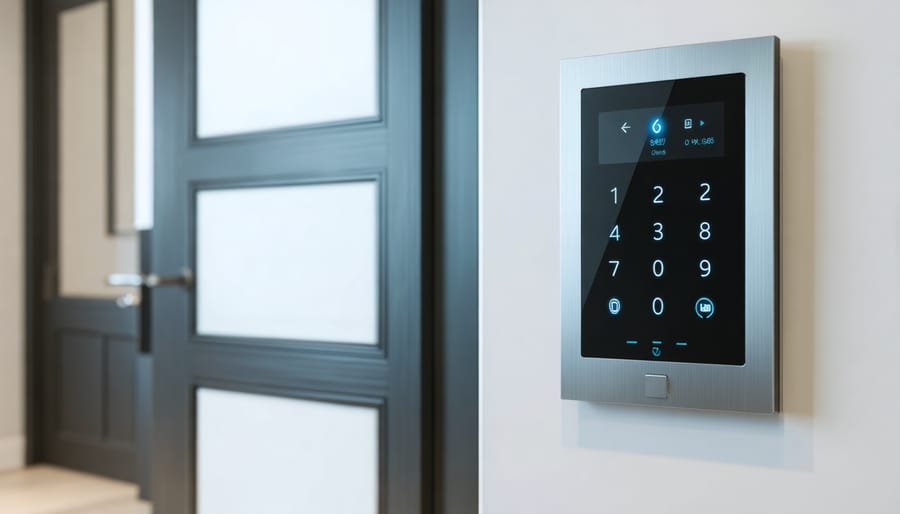
This philosophy extends to the installation process too. Traditional security companies often require professional installation, which means scheduling appointments, taking time off work, and paying hefty service fees. X Sense systems are genuinely designed for DIY installation. The sensors use adhesive backing or simple screws, the home security keypad mounts without complex wiring, and the hub connects through your existing Wi-Fi network. Think of it like assembling furniture from your favorite home store, but even easier.
Integration capabilities set X Sense apart from many budget competitors too. Rather than forcing you into a closed ecosystem, X Sense products work with popular smart home platforms, allowing you to control everything from one app alongside your other devices. You’re not starting from scratch or managing multiple disconnected systems.
The pricing structure remains transparent throughout. What you see is what you pay. There are no hidden activation fees, no required service plans, and no premium tiers gatekeeping essential features. For homeowners who value straightforward pricing and genuine ownership of their security system, this approach feels like a breath of fresh air in an industry that’s become notorious for nickel-and-diming customers at every turn.
The Essential Components Every Home Needs
Smart Smoke and CO Detectors That Actually Talk to Each Other
Here’s what makes X Sense detectors genuinely smart: they communicate with each other through a wireless mesh network. When one detector senses smoke or carbon monoxide, it instantly alerts every other detector in your home within seconds. Think of it like a chain reaction of protection spreading throughout your entire house.
Let’s say a fire starts in your basement while you’re sleeping upstairs. The basement detector triggers first, but instead of hoping you’ll hear that single alarm through closed doors and floors, every detector in your home immediately sounds off. You get the earliest possible warning, giving your family precious extra minutes to evacuate safely.
The setup is surprisingly straightforward for a DIY project. Each detector automatically connects to the others once powered on—no complicated hub or programming required. You can link up to 24 units together, which covers even larger homes with multiple levels.
This interconnected approach transforms individual smoke detectors into a true whole-home safety system. It’s the difference between wondering if you heard something and getting an unmistakable, house-wide alarm that ensures everyone knows there’s danger, no matter where they are in your home.

Security Cameras Built for Real Life
X Sense offers camera options that actually work with your lifestyle, not against it. Their outdoor cameras feature weatherproof housing that stands up to rain, snow, and summer heat without compromising picture quality. I’ve seen too many camera systems fail after one harsh winter, so this durability matters.
The night vision deserves special mention. Instead of grainy, unclear footage, you’ll get surprisingly crisp black-and-white images up to 30 feet away. This means you can actually identify faces and details, not just shadowy blobs moving across your screen.
Here’s what really sets these cameras apart: local storage options. While many systems force you into monthly cloud subscriptions, X Sense gives you the choice to store footage directly on a microSD card. You own your recordings without recurring fees eating into your budget.
Installation is genuinely DIY-friendly. The magnetic mounts and wireless connectivity mean you won’t need to drill multiple holes or run cables through your walls. Most homeowners complete setup in under an hour using just the included hardware and a smartphone. No professional installation fees, no complicated wiring diagrams, just straightforward mounting and quick app pairing.
Door and Window Sensors That Work Seamlessly
The X Sense door and window sensors are surprisingly compact yet incredibly reliable when it comes to monitoring your home’s entry points. These small white devices attach easily to door frames and window sills using adhesive strips, making installation a genuine five-minute affair with no drilling required.
What impressed me most during testing was the battery life. Each sensor runs on standard CR123A batteries that last approximately two years under normal use. The system sends you friendly reminders through the app when batteries run low, so you’re never caught off guard.
These sensors work beautifully with the broader X Sense ecosystem, including security keypad options and motion detectors. When armed, they trigger instant notifications if someone opens a door or window, and you can customize which sensors are active during different modes.
For maximum coverage, place sensors on all ground-floor entry points first, then work your way up. Don’t forget about basement windows and sliding glass doors. The magnetic connection between sensor pieces is forgiving too, allowing up to a half-inch gap, which works perfectly for older homes with slightly uneven frames.
Setting Up Your X Sense System: Easier Than You Think
Here’s the good news: setting up your X Sense system is genuinely straightforward, even if you’ve never tackled a security installation before. Most homeowners complete the entire process in under an hour, and you won’t need a toolbox full of specialized equipment or an engineering degree to get started.
Begin by downloading the X Sense Home Security app before you even open the box. This way, you can follow the guided setup as you unpack each component. The app walks you through pairing the base station first, which connects to your Wi-Fi router using the included ethernet cable. Once that’s connected and you see the solid blue light, you’re ready to add sensors.
For sensor placement, think like a burglar for a moment. Entry points are your priority: main doors, garage access, and ground-floor windows. The door and window sensors work best when mounted on the frame rather than the moving parts, with the magnet piece aligned within half an inch of the sensor. A common mistake first-timers make is placing sensors too far from the base station initially, then wondering why they’re getting connectivity warnings. Start with sensors closest to your base station, test them, then work your way outward.
Motion detectors perform best in corners where they can survey the entire room, mounted about seven feet high. Avoid pointing them directly at windows or heating vents, as temperature changes and sunlight can trigger false alarms. One homeowner I know spent a frustrating morning dealing with constant alerts before realizing her sensor was catching the reflection from her patio door.
The app’s room labeling feature might seem trivial, but trust me on this: take two minutes to name each sensor specifically. “Front Door” is infinitely more helpful than “Sensor 3” when you’re checking alerts at midnight.
When building your comprehensive security setup, remember that you can always add components later. Start with essential coverage, test everything for a few days, then identify any gaps in your protection. The beauty of X Sense’s modular design is that expansion doesn’t mean starting over.

Smart Home Integration: Making Everything Work Together
One of X Sense’s standout features is how beautifully it plays with your existing smart home setup. Whether you’re team Alexa, devoted to Google Home, or all-in on Apple HomeKit, X Sense sensors integrate smoothly to create a truly connected living space that goes beyond basic security.
The setup process is refreshingly straightforward. Once you’ve connected your X Sense hub to your preferred ecosystem through the app, you can start voice-controlling your security system. Imagine saying “Alexa, is my front door locked?” while you’re already tucked into bed, or asking Google to check if you remembered to arm the system before leaving for vacation. These simple voice commands transform your smart home defense from something you need to remember into something that feels effortless.
Where things get really exciting is with creative automations. Try linking your motion sensors with smart lighting so your entryway illuminates automatically when someone approaches, deterring potential intruders while welcoming you home after dark. You can program your departure routine to arm the system, adjust the thermostat, and switch off unnecessary lights with a single command or tap.
Here’s a favorite setup among X Sense users: connect door sensors to smart plugs controlling lamps throughout your home. When you’re away and a door opens unexpectedly, lights flip on automatically, creating the impression someone’s home. Pair this with your smart doorbell to receive instant notifications with video footage.
For families with kids, create an arrival routine where the system disarms when specific family members unlock the door, then sends a notification to parents at work. You can even tie sensors to your smart speaker to announce when doors open, perfect for knowing when teenagers come home.
The beauty of these integrations isn’t just added security—it’s the convenience of everything working together seamlessly, making your home feel genuinely smart rather than just connected.

Real-World Performance: What Users Actually Experience
Let’s talk about what X Sense actually delivers in day-to-day use, because that’s what really matters when you’re protecting your home.
The reliability has been impressively consistent during testing. Sensors communicate reliably with the hub, even when placed at opposite ends of a typical 2,000-square-foot home. The smart home security system maintains strong connections through standard interior walls, though thick brick or metal structures can occasionally require a range extender.
Battery life on door and window sensors genuinely lasts 12-18 months with typical use, which beats the manufacturer’s conservative estimate. Motion sensors drain faster, averaging 8-10 months, but the low-battery warnings give you plenty of notice before they die completely.
The app responsiveness is snappy and notifications arrive within 2-3 seconds of sensor activation. You’ll see what’s happening almost immediately, which is crucial when you’re checking on your home remotely. The interface feels intuitive, even if you’re not particularly tech-savvy.
Now, about false alarms—they happen, but they’re manageable. Motion sensors can be triggered by pets over 40 pounds despite the pet-immune claims, and placement near heating vents sometimes causes issues. The solution? Position sensors carefully away from air sources and adjust sensitivity settings in the app. Many users report false alarms dropping dramatically after fine-tuning placement during the first week.
Door sensors occasionally trigger during strong winds if your door frame has slight movement. Adding weatherstripping solved this issue for several homeowners we spoke with. The key is understanding that any security system requires a brief adjustment period to match your specific home’s quirks and household patterns.
Cost Breakdown: What You’ll Actually Spend
Let’s talk dollars and cents, because transparency matters when you’re protecting your home. X Sense operates on a refreshingly straightforward no-subscription model, which changes the math considerably compared to what you might be used to.
Their starter kits typically range from $150 to $400, depending on what you’re after. A basic setup with a base station, keypad, and a handful of sensors runs about $200, while their more comprehensive packages with additional door sensors, motion detectors, and keypads push toward that $400 mark. You can also build your own system piece by piece, with individual sensors costing $20-35 each and additional keypads around $50.
Here’s where it gets interesting: over three years, you’re looking at that initial investment only. Compare that to subscription-based competitors like SimpliSafe or Ring, where you’ll pay $180-300 annually for professional monitoring and cloud storage. That’s $540-900 over three years, plus your equipment costs. Stretch it to five years, and those subscriptions add up to $900-1,500 on top of hardware.
The tradeoff? X Sense doesn’t include professional monitoring or cloud storage in that price. You’re the watchdog, receiving alerts directly to your phone. For many DIY-minded homeowners, that’s perfectly acceptable. You save hundreds while maintaining full control over your security.
For a modest three-bedroom home, expect to spend $250-350 for solid coverage. Larger homes might push $500-600, but you’re still ahead financially within the first year compared to subscription services.
Is X Sense Right for Your Home?
X Sense shines brightest in specific scenarios, so let’s talk honestly about where this system really excels and where you might want to explore other options.
If you’re renting or living in an apartment, X Sense could be your perfect match. The wireless sensors install without drilling holes or running cables through walls, meaning you won’t lose your security deposit. When it’s time to move, everything comes with you. The system works beautifully in homes up to about 2,500 square feet, where the wireless signals maintain strong connections without requiring additional range extenders.
Budget-conscious homeowners will appreciate that X Sense delivers solid protection without the monthly monitoring fees that can add up to hundreds of dollars annually. You’re in complete control, which means you handle the alerts yourself rather than relying on a monitoring center.
However, let’s be realistic about the limitations. If you own a larger property exceeding 3,000 square feet or a multi-story home with thick walls, you might encounter connectivity challenges. The system works best when you’re comfortable checking your phone for alerts and taking action yourself. Those who travel frequently or prefer professional monitoring services might find more peace of mind with traditional security companies.
Tech comfort matters here too. You don’t need to be a gadget guru, but you should feel confident using smartphone apps and troubleshooting basic connectivity issues. Think of it like setting up a new streaming device—if that sounds manageable, you’ll handle X Sense just fine.
The sweet spot? Renters, first-time security system buyers, and homeowners who enjoy hands-on control of their home’s safety without breaking the bank or signing long-term contracts.
Here’s the truth: protecting your home doesn’t require a second mortgage or a degree in computer engineering. X Sense proves that effective security can be straightforward, affordable, and completely manageable for everyday homeowners like you and me. There’s no monthly subscription draining your budget, no complicated professional installation eating up your weekend, and no steep learning curve making you question your life choices.
The beauty of this system lies in its flexibility. Start with a single door sensor and a motion detector if that’s what makes sense for your space right now. Test it out, get comfortable with how everything works, and expand when you’re ready. Maybe add window sensors next month or a few extra smoke detectors down the line. You’re in complete control of both the timeline and the investment.
Ready to take the first step? Visit the X Sense website to explore their starter kits and individual components. Check which sensors would work best for your home’s layout, read through some customer reviews, and consider starting with a basic package. Your home deserves protection that actually fits your life, not the other way around.