

Picture walking into your home knowing every door, window, and motion sensor communicates seamlessly through invisible signals that bad actors can’t jam or hack like they might with Wi-Fi. That’s the promise of Z-Wave technology for home security—a wireless protocol specifically designed to connect your security devices reliably without hogging your internet bandwidth or creating vulnerabilities in your network.
Z-Wave operates on a dedicated radio frequency separate from your crowded Wi-Fi channels, creating a mesh network where each device strengthens the overall system by passing signals to its neighbors. Unlike some smart home security technology that depends on your router’s range, Z-Wave devices form their own communication web throughout your house, reaching up to 600 feet and extending even farther as you add more components.
For homeowners entering the smart security world, Z-Wave offers an approachable middle ground—more reliable than basic Wi-Fi systems but less intimidating than professional-grade hardwired setups. You’ll find door sensors, smart locks, security cameras, and alarm systems all speaking the same Z-Wave language, eliminating the compatibility headaches that plague mixing different brands and technologies.
Whether you’re starting with a single smart lock or envisioning a complete security overhaul, understanding Z-Wave’s fundamentals helps you build a system that grows with your needs while maintaining the reliability your family’s safety deserves. This technology isn’t just about gadgets—it’s about creating genuine peace of mind through thoughtful, connected protection.
What Z-Wave Actually Is (And Why It Matters for Your Home)
Think of Z-Wave as a neighborhood watch system for your smart home devices. Instead of each device shouting across your entire house to reach your internet router (like WiFi does), Z-Wave creates a mesh network where devices talk to their nearest neighbors, passing messages along until they reach their destination.
Here’s what makes this approach brilliant for home security: imagine you have a motion sensor in your backyard and a smart lock on your front door. With Z-Wave, these devices form a communication chain with other Z-Wave gadgets throughout your home, creating multiple pathways for signals to travel. If one device goes offline or gets blocked by a thick wall, the signal simply reroutes through another device. It’s like having backup roads when your usual route has traffic.
Unlike WiFi, which can get bogged down when everyone’s streaming movies and scrolling social media, Z-Wave operates on its own dedicated radio frequency. This means your security system won’t compete with your Netflix binge or video conference calls. The range extends much further too, typically reaching 300 feet between devices in open space, and the mesh network naturally amplifies this reach throughout your home.
Bluetooth might seem like a simple alternative, but it’s more of a one-on-one conversation technology, requiring your phone to be nearby. Z-Wave devices work independently, communicating with each other whether you’re home or halfway around the world.
For security applications, this reliability is everything. When a window sensor detects an intrusion at 2 AM, you need absolute confidence that the signal will reach your alarm system and send you an alert. Z-Wave’s mesh design ensures redundancy, while its low power consumption means battery-powered sensors can run for years without replacement. That’s the kind of set-it-and-forget-it reliability that transforms a collection of gadgets into a dependable security ecosystem you can trust.
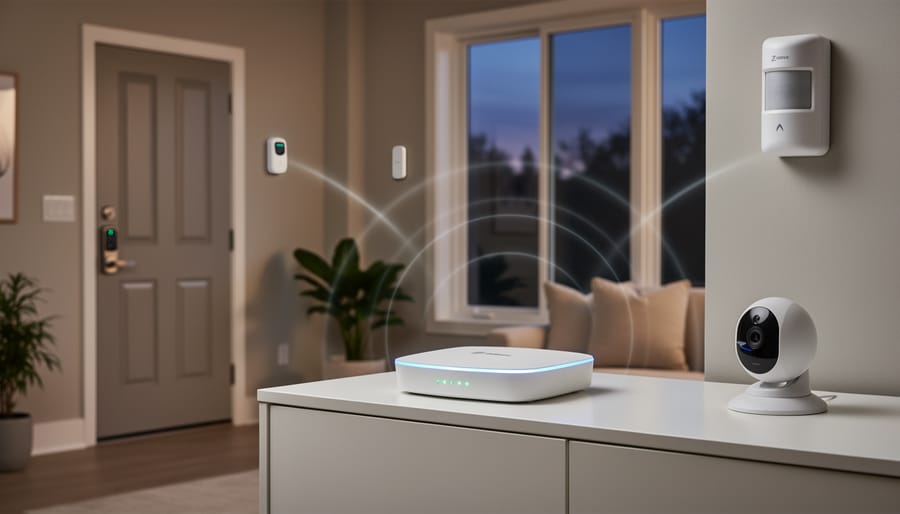
The Security Advantages That Make Z-Wave Stand Out
Encrypted Communication That Keeps Hackers Out
Think of Z-Wave’s security like having a bank-level vault protecting your home instead of a simple padlock. Z-Wave uses something called AES-128 encryption, which sounds technical but simply means every signal between your devices is scrambled into a secret code that only your authorized devices can understand.
Here’s what makes this exciting for your home security setup: when your motion sensor detects movement and tells your smartphone, that message travels in an encrypted format. Even if someone tried to intercept it with specialized equipment, they’d only see meaningless gibberish. It’s like sending a letter written in a language only you and your friend understand.
This protection works automatically in the background, requiring zero effort from you. Unlike older wireless systems that broadcast signals anyone could potentially pick up, Z-Wave creates a secure bubble around your smart home. Each device authenticates itself before joining your network, preventing unauthorized gadgets from sneaking in. You get enterprise-grade security wrapped in user-friendly packaging, letting you focus on enjoying your smart home rather than worrying about digital intruders.
A Dedicated Network That Won’t Crash When You’re Streaming Netflix
Here’s the thing about smart home tech: it can get crowded in there. Your Wi-Fi network is already juggling your laptop, smartphones, tablets, smart TV, and that voice assistant you ask about the weather every morning. Add security cameras streaming footage to the cloud, and things can get sluggish fast.
This is where Z-Wave really shines. Unlike most smart devices that compete for space on your 2.4 GHz Wi-Fi band, Z-Wave operates on a completely different frequency—908.42 MHz in North America. Think of it as having a dedicated express lane just for your security system while everyone else fights for space on the congested highway.
What does this mean for you? Your motion sensors, door locks, and security hub communicate without battling your Netflix binge or video conference. There’s no lag when you’re checking camera feeds, no delayed notifications when someone approaches your door, and no awkward moment when your alarm system fails to respond because the kids are gaming online.
This separation also means better reliability. Your security system isn’t just another device fighting for bandwidth—it’s got its own dedicated network that prioritizes keeping your home protected, no matter what else is happening on your Wi-Fi.
The Mesh Network Advantage for Larger Homes
One of Z-Wave’s most impressive features is how your devices work together as a mesh network, which is especially beneficial if you’re securing a larger home. Think of it like a relay race where each device passes the signal along to the next runner.
Here’s how it works: when you send a command from your smartphone to lock a door or trigger an alarm, that signal doesn’t need to travel directly from your hub to the device. Instead, any Z-Wave device in between can catch and forward the signal. Your motion sensor in the hallway can relay commands to your door lock at the end of the corridor, while your smart light switch in the bedroom helps communicate with the outdoor camera.
This creates a self-healing network that automatically finds the best path for communication. If one device goes offline or encounters interference, the signal simply reroutes through other devices. It’s like having multiple pathways instead of a single road, ensuring your security system stays connected and responsive even in sprawling two-story homes or properties with detached garages.
Each Z-Wave device you add strengthens this network, extending your coverage naturally. Most devices can hop signals up to four times, effectively covering distances that would be impossible with a simple hub-to-device connection. This means you won’t need expensive range extenders or worry about dead zones compromising your security coverage. Your growing collection of smart devices actually improves the system’s reliability.
Smart Security Devices That Work Best with Z-Wave
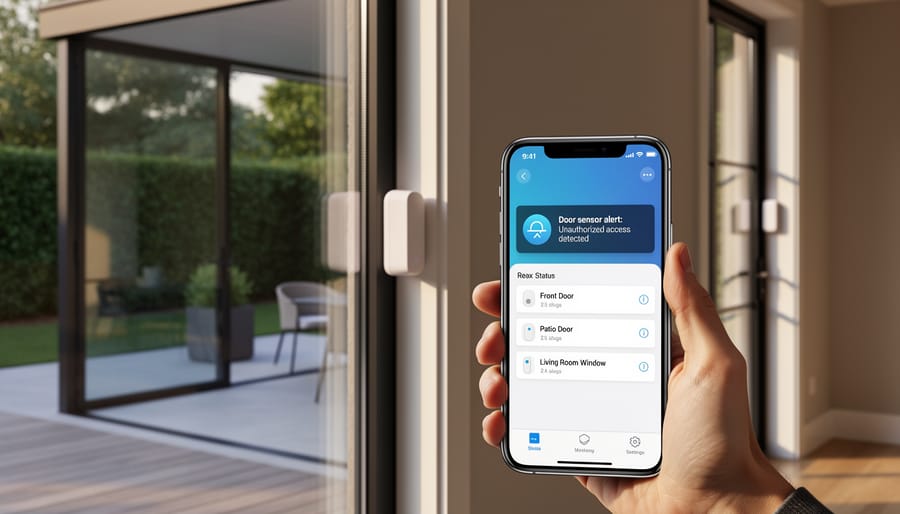
Door and Window Sensors That Actually Alert You
Z-Wave door and window sensors are your home’s first line of defense, quietly standing guard at every entry point. These compact devices attach to frames and openings, instantly notifying you when a door swings open or a window slides up—whether you’re upstairs in bed or halfway across town.
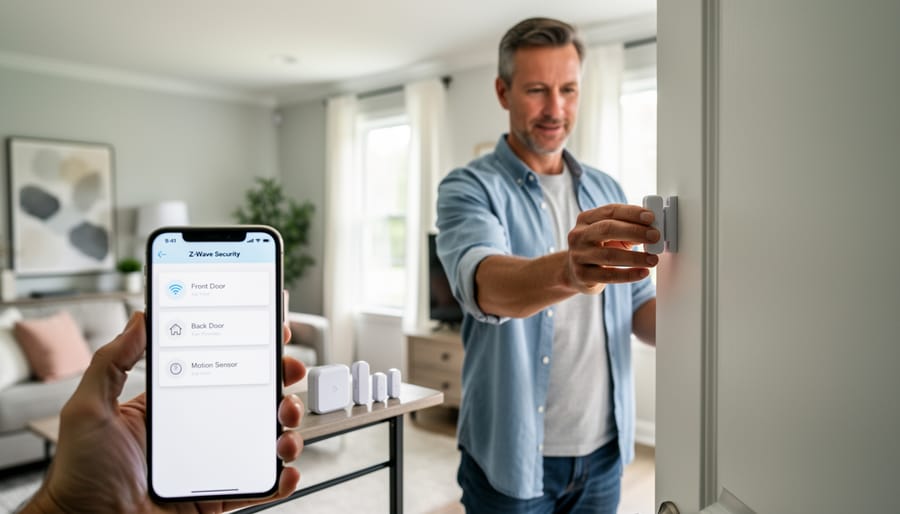
Installation is refreshingly simple. Most sensors come in two pieces: one mounts on the door or window frame, the other on the moving part itself. Using adhesive strips or tiny screws, you’ll have them installed in minutes without calling an electrician. Just pair them with your Z-Wave hub, and you’re protected.
What makes these sensors genuinely useful is their real-world reliability. Picture this: you’re at work when your phone buzzes with an alert that your back door just opened. It’s just your teenager arriving home early—peace of mind delivered instantly. You can customize notifications for specific doors, set schedules when you want alerts, and even integrate them with smart lights to flash when someone enters.
The beauty of Z-Wave technology means these sensors communicate through a mesh network, so even sensors far from your hub stay connected reliably. Unlike standalone battery-powered options that work in isolation, your Z-Wave sensors become part of an intelligent security ecosystem that grows with your needs.
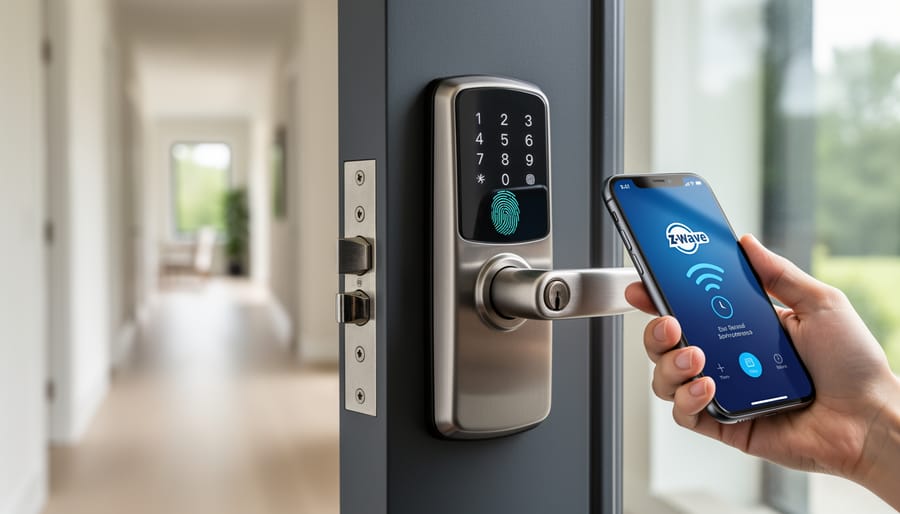
Smart Locks That Combine Convenience with Protection
Z-Wave smart locks are game-changers for homeowners who want keyless convenience without sacrificing security. These clever devices let you lock and unlock your doors from anywhere using your smartphone, which means no more worrying about whether you remembered to lock up when you left for vacation. You can grant temporary access codes to house guests, dog walkers, or contractors, then delete them when they’re no longer needed.
What makes Z-Wave locks especially smart is their ability to work seamlessly with your other home systems. Picture this: when you unlock your front door at night, your lights automatically turn on and your thermostat adjusts to your preferred temperature. Or set up automation so your door locks itself when you activate your security system for the evening. Managing keyless entry becomes wonderfully simple through your Z-Wave hub’s interface.
Popular options like the Schlage Encode and Yale Assure locks offer weather-resistant designs that look great on any door style. Most models run on standard batteries that last six months to a year, and they’ll send you low-battery alerts well before they run out. The best part? Installation is straightforward enough for most DIYers with just a screwdriver.
Motion Detectors and Security Cameras
When you’re building a smarter security setup, motion detectors and security cameras become your home’s vigilant guardians, and Z-Wave makes them work together beautifully. Think of Z-Wave as the central nervous system that connects these devices so they communicate instantly.
Here’s where it gets exciting: Z-Wave motion sensors can trigger your cameras to start recording the moment they detect movement. No more sifting through hours of footage—you capture exactly what matters. You might place a motion detector at your front entrance that automatically activates your camera and turns on pathway lights simultaneously, creating a coordinated response to any activity.
The real advantage is flexibility. Position motion sensors in hallways, near windows, or around valuable items without worrying about camera placement everywhere. When motion is detected, your Z-Wave hub can send alerts to your phone, activate recording, and even sound an alarm if needed.
Most Z-Wave cameras offer clear video quality and night vision, storing footage locally or in the cloud. The technology’s reliability means you won’t miss critical moments due to connectivity issues. For DIY enthusiasts, installation is straightforward—mount your devices, pair them with your hub, and customize automation rules through your smartphone app.
Building Your Z-Wave Security System: What You’ll Need
Choosing the Right Hub for Your Setup
Picking the right hub is like choosing the conductor for your smart home orchestra—it needs to coordinate everything seamlessly. The good news? You’ve got several solid options that play nicely with Z-Wave devices.
If you’re already invested in the Amazon ecosystem, the Echo Plus or Echo Show works beautifully as a Z-Wave hub while doubling as your voice assistant. Samsung SmartThings Hub remains a favorite among DIY enthusiasts because it supports both Z-Wave and Zigbee devices, giving you flexibility as your system grows. It’s particularly user-friendly with an intuitive app that won’t leave you scratching your head.
For Apple devotees, consider the Aeotec Smart Home Hub, which integrates with HomeKit through a bridge setup. Hubitat Elevation deserves mention too—it’s perfect if you value local processing and don’t want your security dependent on cloud servers.
When making your choice, think about what devices you already own. Do you have Alexa speakers throughout your home? A Ring doorbell? Your existing setup often points you toward the most compatible hub. Also consider whether you want cloud-based convenience or local control for privacy.
Most hubs cost between 100 and 150 dollars, a worthwhile investment that becomes the foundation of your entire security system. Take time to read user reviews focusing on reliability and customer support—you’ll thank yourself later.
Starting Small vs. Going All-In
Here’s the good news: you don’t need to transform your entire home into a high-tech fortress overnight. Starting with a modest Z-Wave security setup is not only budget-friendly but also gives you time to learn the system without feeling overwhelmed.
A smart starter approach begins with the basics. Consider launching with a Z-Wave hub, a smart door lock for your main entry, and a couple of motion sensors for high-traffic areas. This foundational trio covers your most vulnerable access points while letting you get comfortable with the technology. Many homeowners find this initial investment ranges between $200-400, which is quite reasonable when you’re protecting what matters most.
Once you’ve mastered these essential security devices, expansion becomes exciting rather than daunting. Add window sensors to ground-floor openings next, then perhaps smart cameras for your front porch and backyard. The beauty of Z-Wave’s mesh network means each device you add actually strengthens your entire system’s reliability.
Think of it like decorating a room—you start with key furniture pieces, then layer in accessories as your vision develops. Within a year, many DIY enthusiasts find they’ve built comprehensive security coverage that rivals professionally installed systems, all while spreading costs and learning at their own pace.
Real-World Installation: What to Expect
Here’s the honest truth: setting up a Z-Wave security system is easier than assembling most IKEA furniture, but it’s not quite plug-and-play either. Most homeowners report spending 2-4 hours on their initial setup, which includes unboxing devices, pairing them with the hub, and tweaking settings to their preferences.
The learning curve is gentler than you might think. Jennifer from Portland shared that she tackled her system installation on a Saturday afternoon: “I’m not tech-savvy at all, but the step-by-step prompts in the app walked me through everything. The hardest part was deciding where to mount the sensors!” Her experience mirrors what many DIYers discover—the physical installation is straightforward, while the fun part is customizing your security zones and notifications.
Expect some minor troubleshooting, particularly with device range and pairing. If a sensor won’t connect, it’s usually a distance issue solved by adding a Z-Wave repeater or simply repositioning your hub. Most systems guide you through this with helpful visual indicators showing signal strength.
When should you call in professionals? Consider expert help if you’re installing hardwired devices like smart locks on complex door mechanisms, mounting cameras in challenging locations, or integrating with existing alarm systems. That said, about 80 percent of Z-Wave security setups are perfectly manageable for anyone comfortable with basic tools and following instructions.
The takeaway? Block out a weekend afternoon, grab your favorite beverage, and approach it like a satisfying home project rather than a daunting technical challenge. You’ll likely surprise yourself with how capable you are, and there’s genuine satisfaction in saying “I built this” when your security system springs to life.
Common Concerns About Z-Wave Security (Addressed Honestly)
Let’s talk honestly about the concerns that might be holding you back from diving into Z-Wave security.
First up: compatibility worries. “Will this work with what I already have?” It’s a valid question. The good news is that Z-Wave was designed with standardization in mind. Any device carrying the Z-Wave certification works with any Z-Wave hub, regardless of manufacturer. Think of it like USB ports—they just work together. However, newer devices using Z-Wave Plus or Z-Wave 700 series offer enhanced features, so mixing generations means you might not unlock every bell and whistle on older equipment.
Cost concerns are completely understandable. Yes, Z-Wave devices typically cost more upfront than basic WiFi alternatives. A quality Z-Wave door sensor might run you $35-50 compared to $20 for a budget WiFi version. But here’s the practical reality: you’re investing in reliability and longevity. These devices don’t hog your internet bandwidth, don’t require constant cloud subscriptions to function locally, and often last years longer because they’re purpose-built rather than bargain-engineered.
What about future-proofing? Nobody wants their investment obsolete in two years. Z-Wave has been around since 2001 and backward compatibility remains a core principle. The latest Z-Wave 800 series still communicates with older devices. Major manufacturers continue supporting the protocol, and with recent expansions into new markets, Z-Wave isn’t disappearing anytime soon.
The bottom line? Z-Wave requires thoughtful investment rather than impulse buying. Take inventory of your needs, start with essential security points, and expand gradually. This measured approach actually works better than overwhelming yourself with dozens of devices at once.
Taking control of your home security doesn’t have to be complicated or intimidating. Z-Wave technology puts powerful, professional-grade security right at your fingertips, creating a smart security investment that grows with your needs. Whether you’re starting with a single smart lock or building a comprehensive security ecosystem, you’re making a meaningful step toward protecting what matters most.
The beauty of Z-Wave lies in its flexibility. You can start small, test the waters, and expand your system at your own pace. There’s no pressure to install everything at once or hire expensive professionals. With each device you add, you’re building a more secure, more responsive home that works for you.
Ready to get started? Choose one security device that addresses your biggest concern, whether that’s a smart doorbell for package monitoring or a motion sensor for peace of mind. Take that first step today. Your future self will thank you for creating a home that’s not just secure, but truly smart.


